
Let's be honest. The idea of writing a book feels monumental, like deciding to build a cathedral with your bare hands. You have this incredible story, this vital knowledge, this legacy you want to leave behind, but the path from your brain to a physical book is foggy at best. It's a journey filled with equal parts inspiration and frustration. One day you're channeling Shakespeare, the next you're staring at a blinking cursor that seems to be mocking you. I get it. Creating something that lasts forever is a beautiful, honorable act, but it can also be a maddening one.
The good news? You don't have to go it alone, and you certainly don't need to be a tech wizard to make it happen. This guide isn't for professional authors who live and breathe manuscript formatting. It's for you: the founder with a groundbreaking business philosophy, the grandparent preserving family history, the visionary with a story that needs to be told.
We're going to walk through the absolute best tools for writing a book, helping you capture, organize, and finalize your project, even if the thought of 'software' makes you want to take a nap. Think of me as your friendly guide, here to translate the techno-babble and show you what actually works. To help you overcome the blank page, consider alternative writing methods like dictation; you can explore the best dictation software for writers to find a tool that suits your workflow.
And hey, sometimes the best 'tool' is a brilliant person. Seriously. If your real goal is to hold a finished book in your hands, not become a professional writer, partnering with a ghostwriter is a fantastic option. It’s your story; let's find the easiest, most joyful way to tell it.
1. Scrivener (Literature & Latte)
Scrivener is less a word processor and more a complete writing studio packed into a single app. Think of it as the ultimate digital binder for your book project. Instead of one endlessly scrolling document, Scrivener lets you break your manuscript into small, manageable chunks like chapters or scenes, which you can then rearrange on a virtual corkboard as easily as shuffling index cards. It’s one of the best tools for writing a book precisely because it was built from the ground up to handle the beautiful chaos of a long-form project.
This is the tool you bring in when your brain feels like it has a hundred open tabs. You can store interview transcripts, photos, web pages, and character sketches right inside your project file, keeping all your research just a click away from your draft. It’s like having a dedicated project manager who lives inside your computer and never asks for a day off. That’s my kind of employee.
Is Scrivener a Good Fit for You?
Scrivener shines for authors who need serious organizational power. If you're building a business book with complex case studies or a memoir that jumps around in time, its outlining and folder system is a lifesaver. However, its real power lies in a feature called "Compile," which can feel a bit like trying to solve a Rubik's Cube at first. It’s incredibly powerful for exporting your work into formats for print or e-books, but it comes with a definite learning curve.
- Who it's for: The detail-oriented planner, the founder mapping out a complex business book, or the memoirist working with a non-linear timeline.
- Who should skip it: If you just want a simple, minimalist place to type and hate learning new software, this might be overkill.
- Pricing: One-time purchase of $69.99 for Mac or Windows, with a 30-day free trial that only counts the days you actually use it. A separate iOS app is available for purchase.
- Website: https://www.literatureandlatte.com/store/scrivener
Not sure whether you need a ghostwriter or an editor?
If you already have 30,000+ words drafted, an editor at $3,000–$12,000 will serve you better than a ghostwriter at $40,000. The quiz sorts this out in five questions — honestly, even when the answer is the smaller job.
2. Atticus
Atticus is the friendly multi-tool that wants to be your first and last stop. It combines a clean, distraction-free writing environment with a powerful, built-in book formatting engine. Think of it as a place to both write your story and dress it up for its big debut without ever having to switch apps. If the technical side of creating print-ready PDFs and ebooks makes you break out in a cold sweat, Atticus is one of the best tools for writing a book because it handles the complicated parts for you.
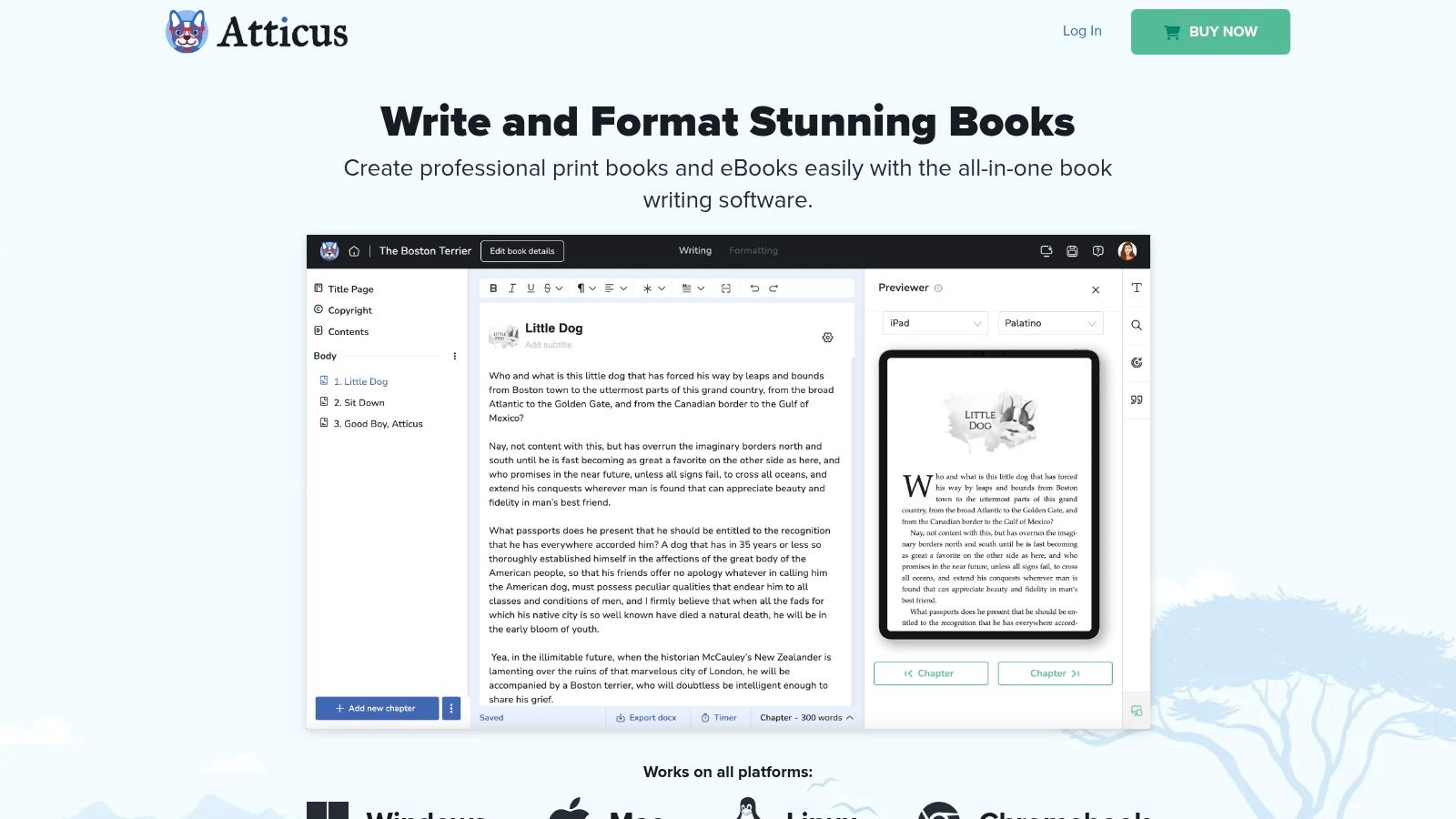
This tool is designed to simplify the final, often frustrating, steps of book creation. Instead of wrestling with complex design software or paying for formatting services, you can choose from professional-looking templates, preview your layout in real-time, and export files ready for Amazon KDP or IngramSpark with just a few clicks. It’s like having a book designer on call who charges a one-time fee and never complains about your last-minute changes. A true unicorn.
Is Atticus a Good Fit for You?
Atticus is a dream for the author who values simplicity and efficiency above all else. If you're a founder writing a business book or an individual creating a family memoir, and your goal is a beautiful, professional-looking book without a steep learning curve, this is your answer. It bridges the gap between writing and publishing beautifully. While it doesn't offer the granular, pixel-perfect control of a dedicated program like Adobe InDesign, it provides more than enough power for the vast majority of authors.
- Who it's for: The all-in-one enthusiast, self-publishers on a budget, and anyone who dreads the technical formatting stage. Perfect for straightforward memoirs and business books.
- Who should skip it: Professional book designers or authors with highly complex layout needs (like textbooks or art books) might find it too limiting.
- Pricing: One-time purchase of $147 for lifetime access, including all future updates. It works on all platforms.
- Website: https://www.atticus.io/
3. Ulysses
If Scrivener is a sprawling workshop, Ulysses is a minimalist, elegant writing studio. It’s designed exclusively for the Apple ecosystem (Mac, iPad, iPhone) and offers a beautiful, distraction-free environment that just lets you focus on your words. Think of it as the serene, organized desk you've always dreamed of, where your manuscript, notes, and goals all live in perfect, iCloud-synced harmony across all your devices. This is one of the best tools for writing a book when your creative process thrives on simplicity and style.
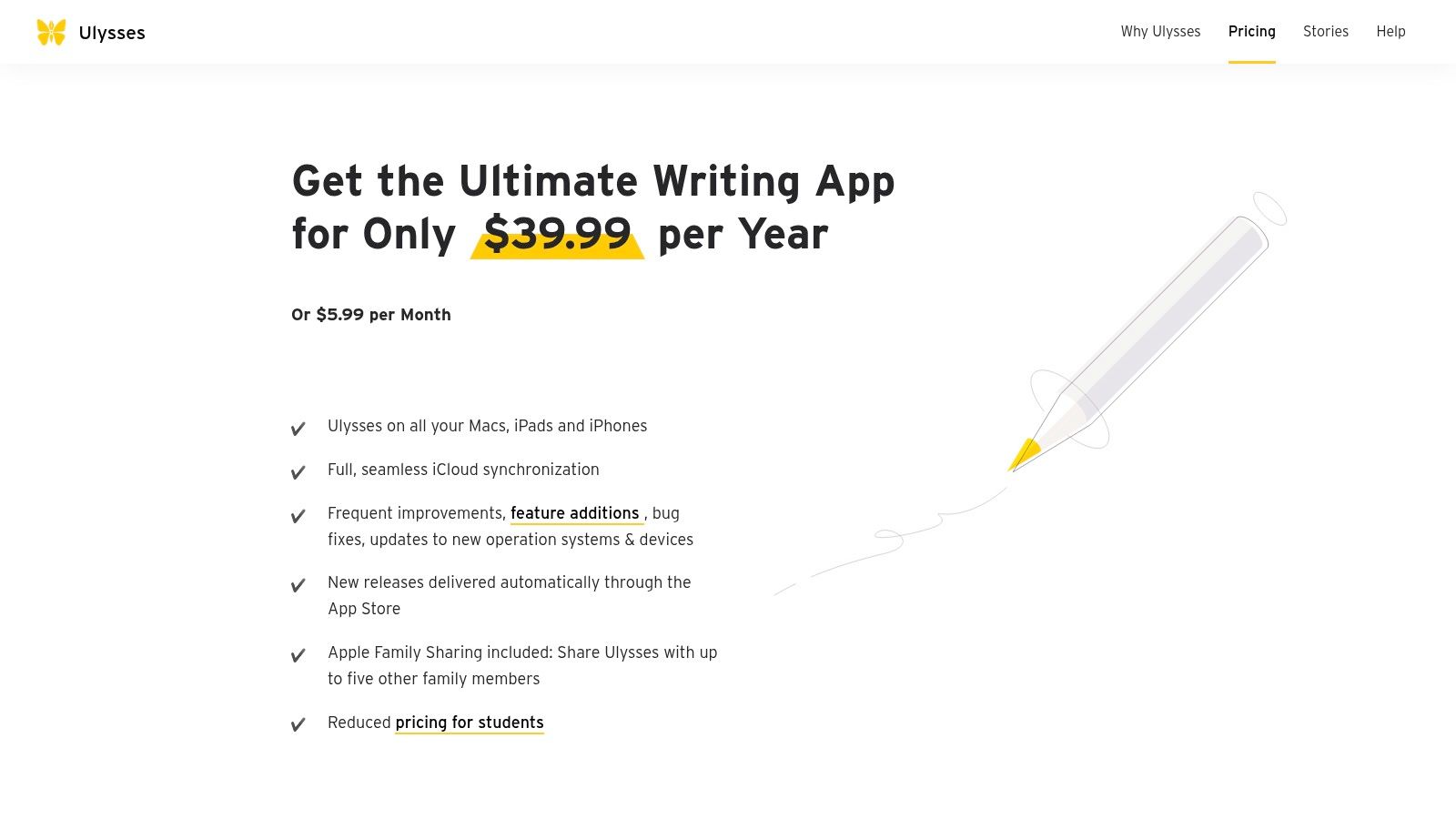
Ulysses organizes your writing into a single library, but it doesn't overwhelm you with options. You can create different groups for your book project, with individual sheets for chapters, character notes, or random ideas that pop into your head while you're in line for coffee. Because everything syncs seamlessly, you can draft a chapter on your Mac, edit it on your iPad, and review it on your iPhone without ever hitting a save button. It’s pure magic for the Apple faithful.
Is Ulysses a Good Fit for You?
Ulysses is for the writer who craves a clean, uncluttered space and is fully committed to Apple's world. Its Markdown-based editor is simple to learn and keeps your text clean, free from fussy formatting palettes. The built-in goal-setting feature is brilliant for tracking your daily word count or progress toward a final deadline. Exporting your finished manuscript to formats like PDF, DOCX, or even a professionally styled e-book is straightforward and intuitive, a welcome relief from more complex software.
- Who it's for: The Apple loyalist, the founder who wants to draft chapters on the go, or anyone who values a beautiful, minimalist interface over a mountain of features.
- Who should skip it: PC or Android users, and anyone who prefers a one-time purchase over a recurring subscription.
- Pricing: A subscription model at $5.99/month or $49.99/year. A free trial is available, and it's also included in the Setapp subscription service.
- Website: https://ulysses.app/pricing/
4. Vellum
Vellum is where your finished manuscript goes to get dressed up for its big debut. It’s not a tool for writing a book, but rather a Mac-only app that specializes in one thing: making your book look absolutely gorgeous and professional for both print and ebook formats. Instead of wrestling with margins and page breaks in a word processor, you simply drop your manuscript in, choose a style, and Vellum handles the rest, creating elegant, consistent layouts in minutes.
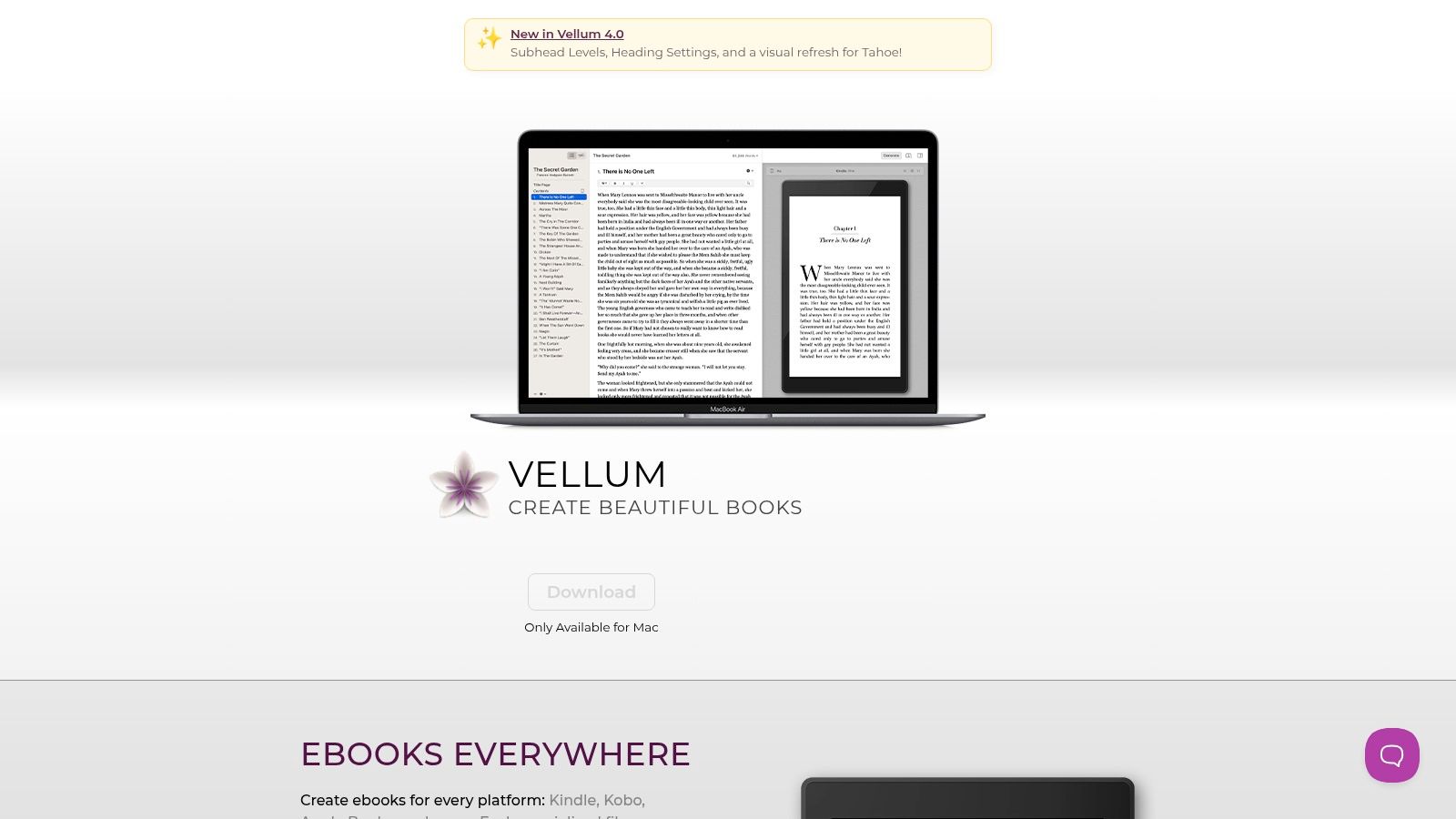
This is the final step that turns your hard-won words into a real, tangible object that feels just right in a reader's hands. Think of it as the interior designer for your book. If you've ever opened a self-published book and immediately noticed the formatting looked a bit off, Vellum is the antidote to that problem. It ensures your creation looks every bit as polished as a book from a major publishing house.
Is Vellum a Good Fit for You?
Vellum is a non-negotiable for Mac users who plan to self-publish and care deeply about the reader's experience. It removes the steep technical learning curve of professional layout software. The magic is in its simplicity; what used to take days of tedious work can now be done in an afternoon. This is the tool that makes the final, crucial stage of book creation feel rewarding instead of frustrating. It’s perfect for turning your manuscript into a beautiful final product without needing a graphic design degree.
- Who it's for: Mac users who want to create beautiful, professional-looking print books and ebooks without hiring a formatter.
- Who should skip it: PC users (it's Mac-only), or anyone who plans to hand their manuscript off to a professional formatter or publisher.
- Pricing: The software is free to download and use. You only pay when you're ready to export your finished book files. It's a one-time purchase of $199.99 for ebook generation or $249.99 for both ebook and print.
- Website: https://vellum.pub/
5. ProWritingAid
ProWritingAid is more than just a spell checker; it's a dedicated writing coach that lives inside your computer. While other tools catch typos, ProWritingAid goes deeper, analyzing your writing for style, pacing, sticky sentences, and repeated words. It was built with authors in mind, offering over 25 different reports that help you strengthen your prose far beyond basic grammar correction. It’s one of the best tools for writing a book because it teaches you how to be a better writer, not just where to put a comma.
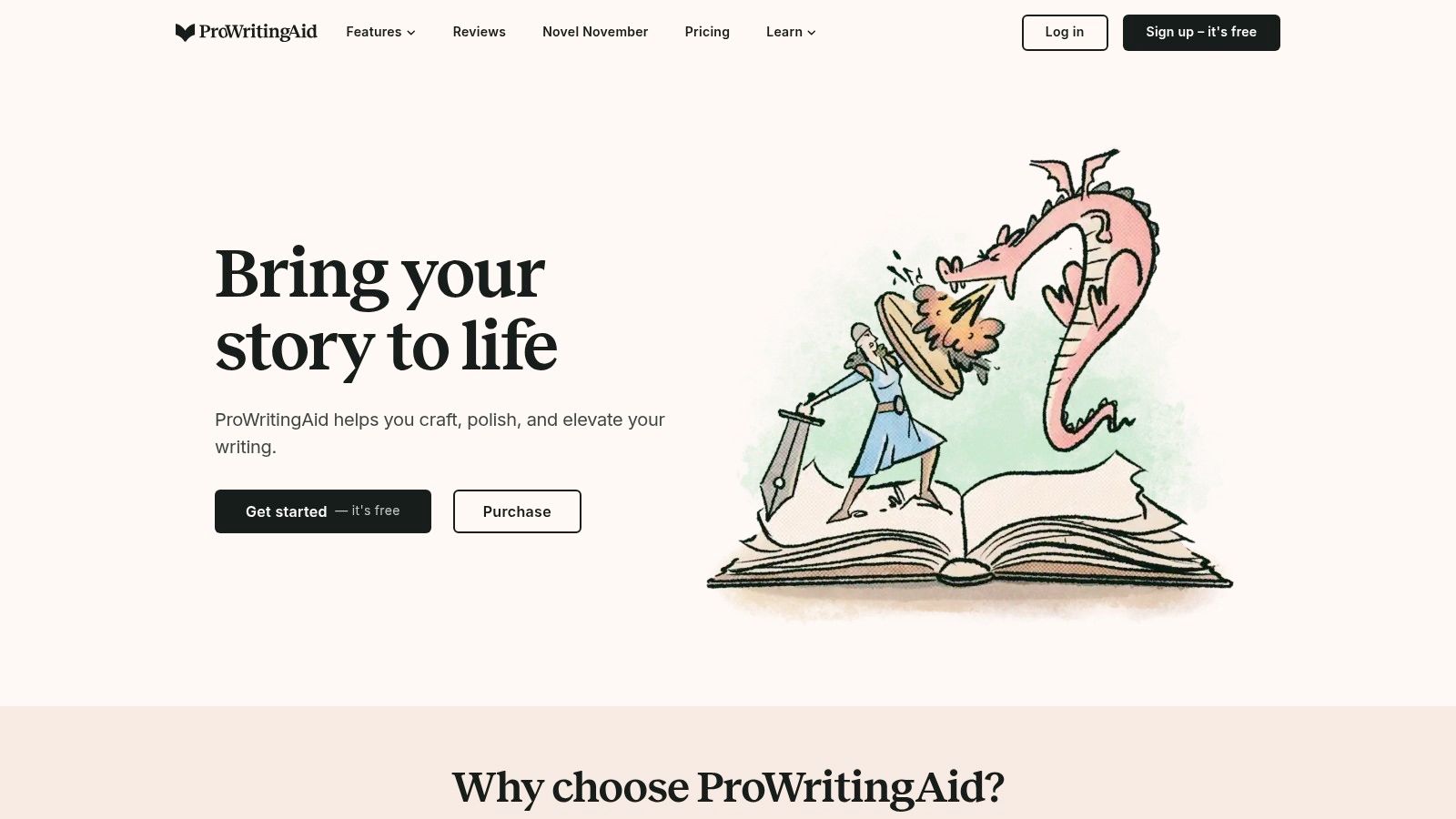
Think of it as the mentor who gently points out that you’ve used the word "actually" twelve times in one chapter. The platform integrates directly with tools you already use, like Scrivener and Microsoft Word, so you can get real-time feedback without disrupting your workflow. It's the perfect partner for when you've finished a draft and need a pair of analytical, tireless eyes to help you polish your manuscript until it shines.
Is ProWritingAid a Good Fit for You?
ProWritingAid is a powerhouse for anyone ready to move from a rough draft to a polished final version. It's particularly useful for authors of business books or memoirs who want to ensure their writing is clear, confident, and professional. The sheer number of reports can feel a bit overwhelming at first, but each one provides valuable insights that can dramatically improve your writing. If you’re working with a ghostwriter, this tool can also help you provide more specific, educated feedback on their drafts.
- Who it's for: The founder who wants their business book to sound authoritative, the memoirist focused on crafting beautiful sentences, and anyone preparing a manuscript for an editor.
- Who should skip it: If you only need a basic spelling and grammar check, a free tool might be enough. The depth here might feel like overkill for very early drafts.
- Pricing: Offers free, premium, and premium-plus plans. Paid plans start around $10/month, with annual and lifetime options often available. Pricing can vary by region.
- Website: https://prowritingaid.com/
6. Grammarly
Grammarly is like having an ever-present editor perched on your shoulder, gently nudging you toward clearer, cleaner prose. It’s an AI-powered writing assistant that works almost everywhere you do: in your browser, in Microsoft Word, and in Google Docs. Think of it less as a strict grammar cop and more as a helpful co-pilot, pointing out typos, clunky sentences, and tone-deaf phrases in real time. For many first-time authors, this is one of the best tools for writing a book because it builds confidence with every suggestion.
This tool goes beyond simple spellcheck to analyze your writing for clarity, engagement, and delivery. If you’re writing a heartfelt memoir, it can help you avoid sounding too formal. If you’re crafting a business book, it will flag jargon and suggest more direct language. It’s the safety net that catches small mistakes before you send a chapter to your ghostwriter or editor, saving everyone time and potential embarrassment.
Is Grammarly a Good Fit for You?
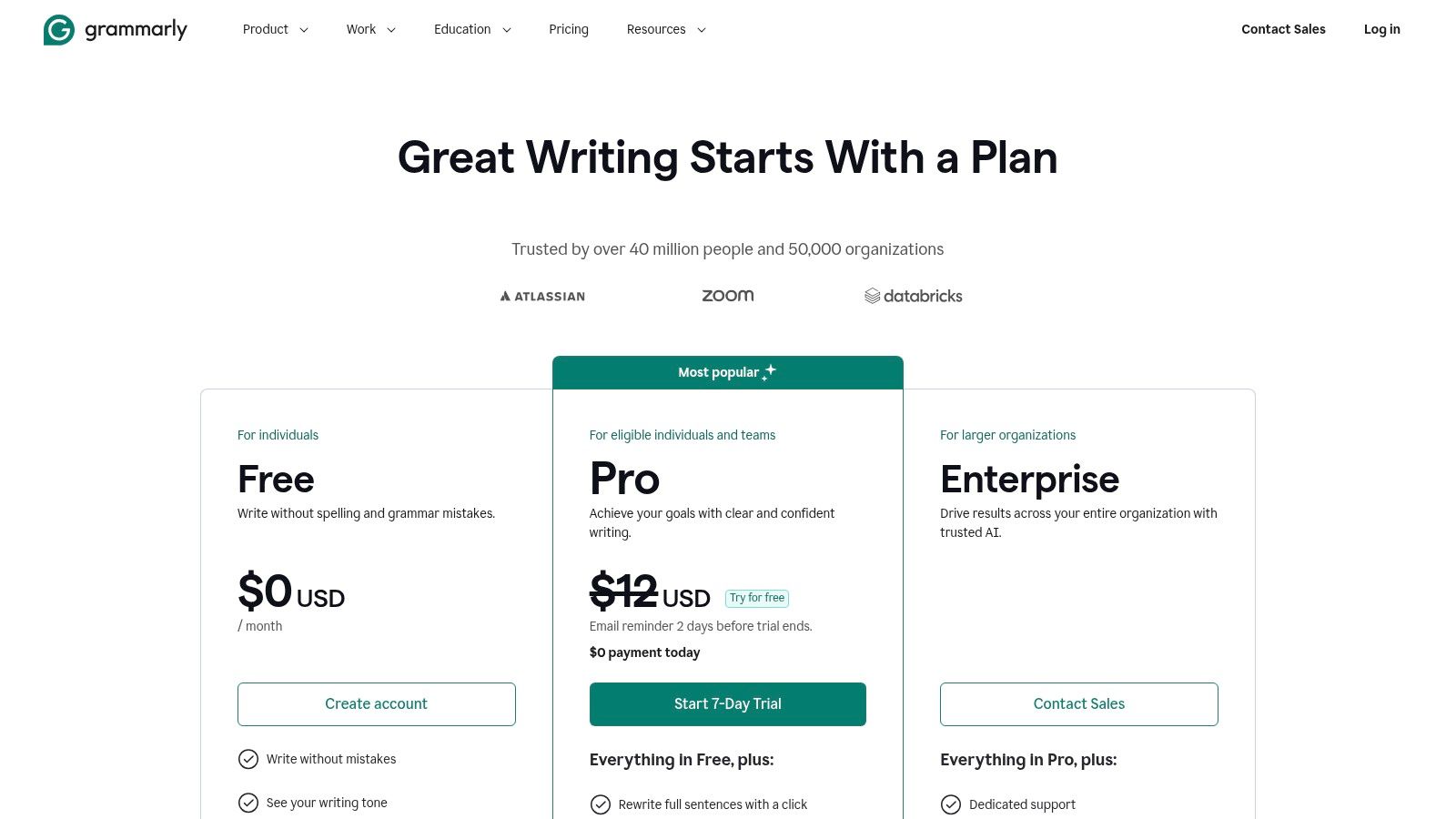
Grammarly is an excellent first line of defense against common writing errors. Its free version is surprisingly robust for catching basic spelling and grammar issues. The real magic, however, happens with the paid Pro version, which offers advanced suggestions on sentence structure, word choice, and even a plagiarism checker to ensure your work is entirely original. It won’t replace a human editor’s nuance or a ghostwriter’s storytelling skill, but it will make their jobs much, much easier.
- Who it's for: Anyone drafting their own material, from founders writing blog posts that will become book chapters to individuals journaling memories for a family legacy project.
- Who should skip it: If you're handing off rough notes or interview transcripts directly to a ghostwriter, they will handle the polishing, so this might be redundant.
- Pricing: A solid free version is available. Premium plans with advanced features start at $12/month when billed annually.
- Website: https://www.grammarly.com/plans
7. Plottr
If your brain works best when you can see the whole picture at once, Plottr is the digital whiteboard you’ve been dreaming of. It’s a tool designed purely for visual outlining, letting you map out your story, business book structure, or family history using drag-and-drop timelines. Instead of getting lost in a sea of text, you can literally see how one event connects to the next, making it one of the best tools for writing a book before you even type a single word of your manuscript.
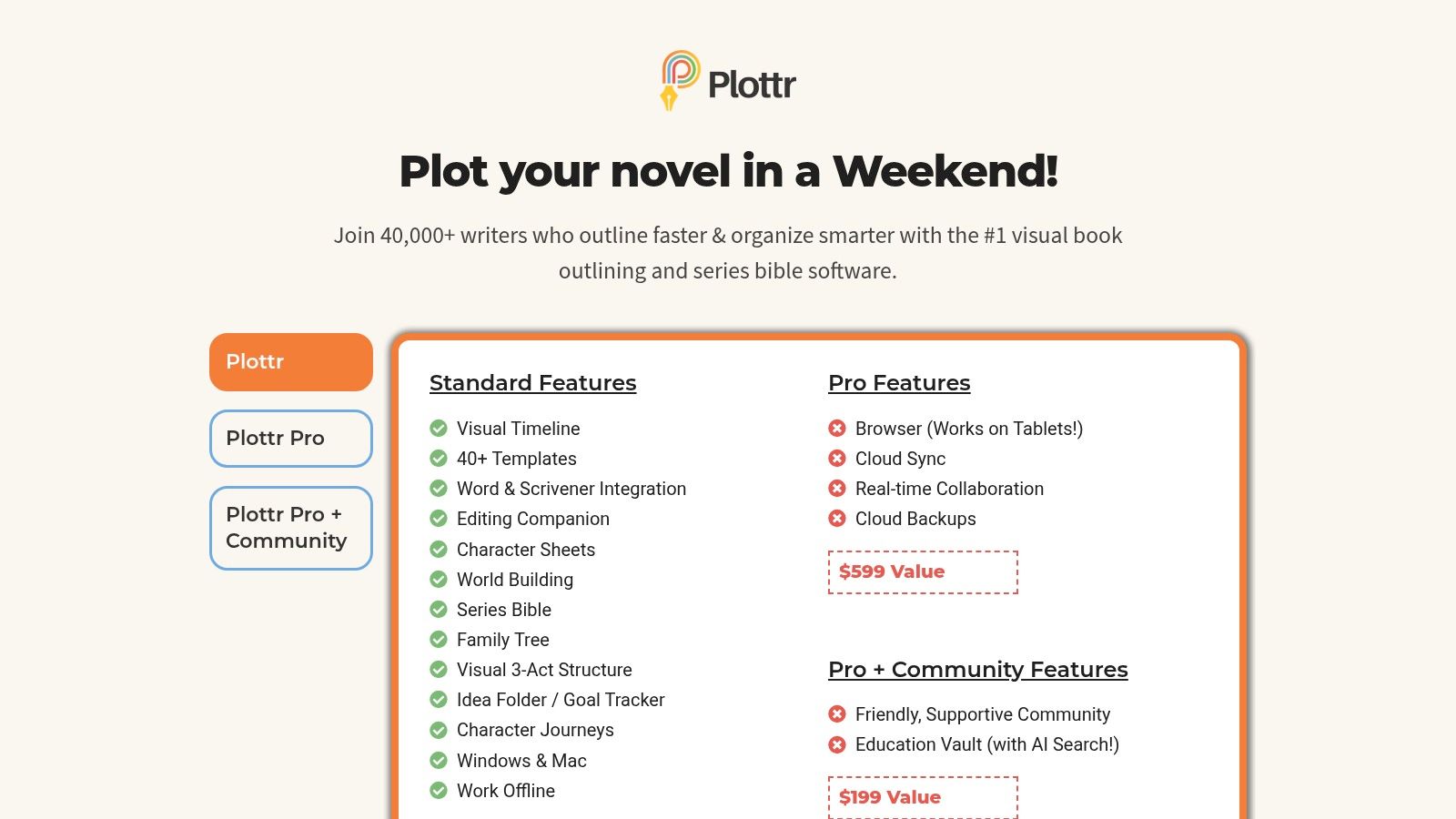
This is where you organize the beautiful chaos before handing it off to a ghostwriter or diving into the drafting yourself. With templates for everything from The Hero’s Journey to a standard three act structure, it helps you build a solid foundation. It also acts as your project bible, keeping track of key people, places, and concepts so you never forget important details. It's like a conspiracy theorist's string-covered wall, but for your book. And way more organized.
Is Plottr a Good Fit for You?
Plottr is for the visual thinker. If you’re the type of person who grabs a marker and heads for a whiteboard to solve a problem, this tool will feel like home. It’s perfect for plotting out a complex family legacy project with multiple timelines or structuring a business book around key case studies. Be aware that Plottr isn't a word processor. It’s built to work alongside other writing software like Word or Scrivener, exporting your beautiful outline so you can start the actual writing.
- Who it's for: Founders who think in flowcharts, memoirists piecing together a complex timeline, and anyone who wants a bird's eye view of their book's structure.
- Who should skip it: If you prefer to write by the seat of your pants or create a simple, linear outline in a document, this tool is likely unnecessary.
- Pricing: Starts at a one-time payment of $39 for a lifetime license on one device, with a Pro plan for $149/year that includes web access and collaboration.
- Website: https://plottr.com/pricing/
8. Campfire Writing
If your book idea involves creating an entire universe from scratch, Campfire Writing is your digital playground. It’s less of a word processor and more of a world-building toolkit designed for authors whose stories are too big for a single document. Instead of just writing chapters, you can build character sheets, design magic systems, create interactive maps, and link everything together in a beautiful, visual web. It’s one of the best tools for writing a book when your lore is as important as your plot.
Think of Campfire as your personal dungeon master’s screen for novel writing. You can create a detailed timeline of your family’s history for a legacy project or map out the political factions in your epic fantasy. This modular approach lets you see how every piece of your story connects, preventing plot holes before they happen and ensuring your world feels consistent and real. It’s perfect for keeping your sprawling ideas organized and accessible.
Is Campfire Writing a Good Fit for You?
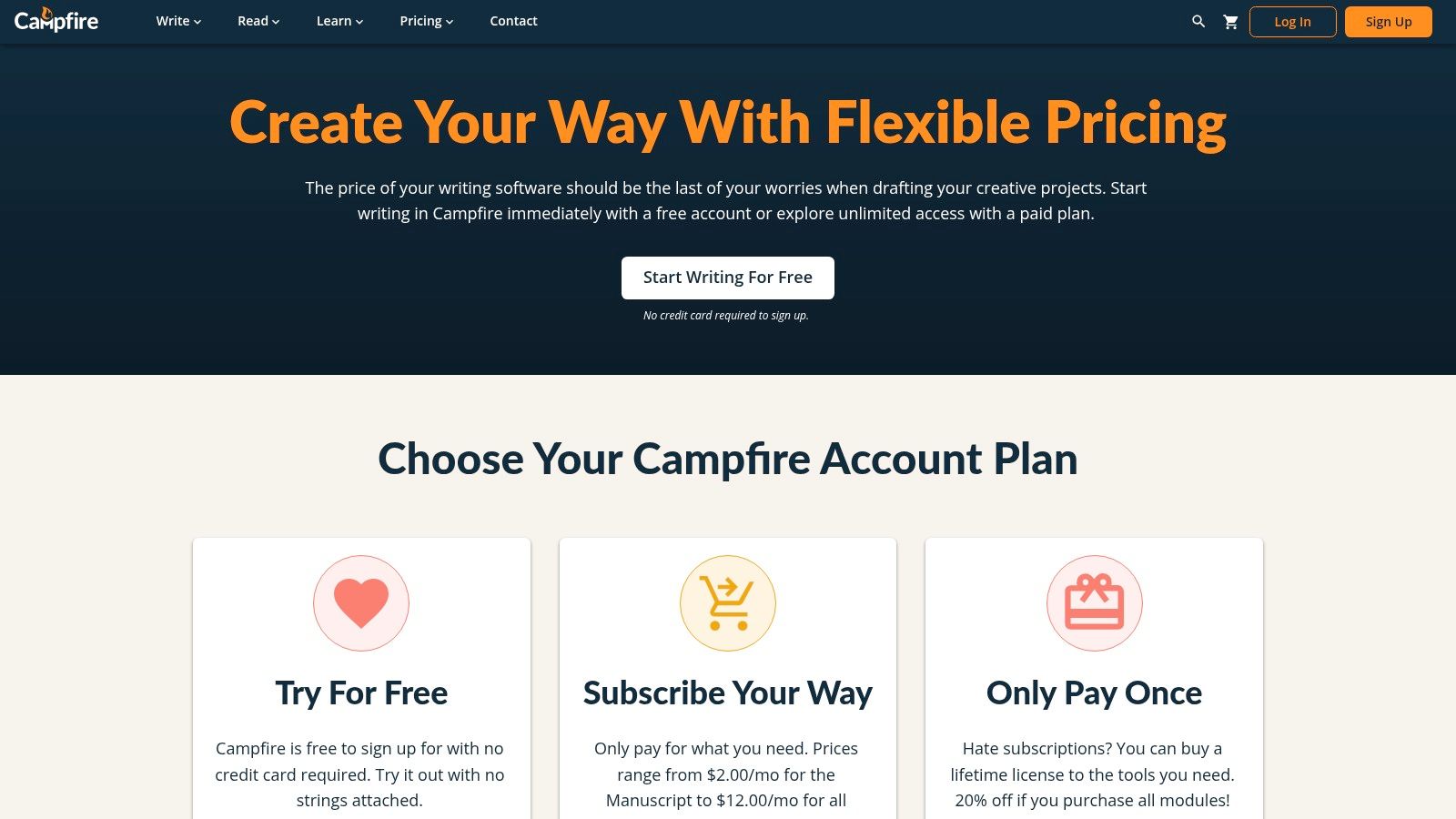
Campfire is an absolute game-changer for authors of speculative fiction, fantasy, or sci-fi who live and breathe world-building. If your book requires detailed maps, character relationship webs, or unique language systems, this is your home. The unique pick-and-pay module system is brilliant for customization but can feel a bit confusing at first. You only pay for what you need, but you might find that advanced features are spread across different modules, requiring multiple subscriptions.
- Who it's for: The ambitious world-builder, the fantasy or sci-fi author with a complex cast, or anyone creating a story with deep, interconnected lore.
- Who should skip it: If you're writing a straightforward business book or memoir, the extensive world-building features are likely overkill.
- Pricing: Offers a free tier with basic features. Paid plans are modular; you can subscribe to individual modules (like Characters or Timelines) for around $2.50/month each, or get the "All Modules" bundle for a discounted monthly or lifetime price.
- Website: https://www.campfirewriting.com/pricing
9. Reedsy
Reedsy isn't a writing tool itself; it's the professional team you hire after you've written your messy first draft. Think of it as a curated marketplace where you can find the publishing world's best editors, cover designers, and marketers, all vetted and ready to help turn your manuscript into a bookstore-quality product. It removes the terrifying guesswork of finding reliable freelancers, which is a huge relief when you’re entrusting someone with your life's story or business legacy.
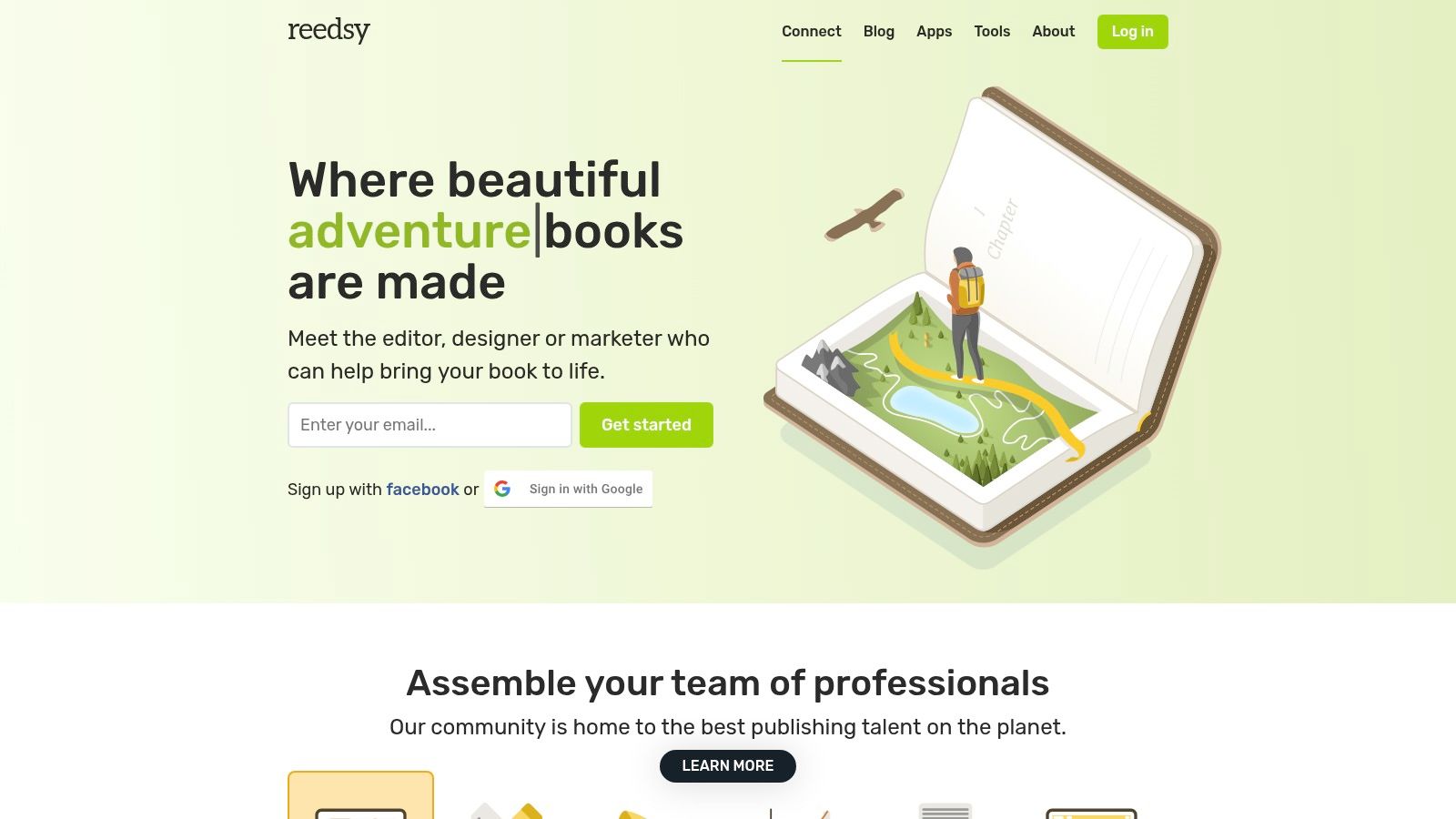
This platform is where you go to assemble your book's "dream team." Instead of just writing, you're now acting as the producer, and Reedsy is your casting director. The site manages contracts, payments, and communication, providing a secure and transparent environment. It’s one of the best tools for writing a book because it elegantly handles the critical "what next?" phase that trips up so many aspiring authors. Remember, a professional team makes everything easier. Consider a ghostwriter early on. You'll thank me later.
Is Reedsy a Good Fit for You?
Reedsy is invaluable for authors who are serious about self-publishing a professional-grade book but don't have existing industry connections. It’s a one-stop shop for sourcing the talent needed for editing, design, and marketing. However, quality talent comes at a price. While the platform provides helpful pricing calculators, you need to budget carefully, as project costs can add up quickly.
- Who it's for: Founders ready to invest in a polished business book, memoirists who want their story to look and feel professional, and anyone planning to self-publish.
- Who should skip it: If you're on a shoestring budget or just writing a family legacy project for private distribution, you may not need this level of professional service.
- Pricing: Free to browse and request quotes. You pay for the professionals you hire, with costs varying widely. Reedsy takes a commission on all transactions.
- Website: https://reedsy.com/
10. Google Workspace (Google Docs & Drive)
Sometimes the most powerful tool is the one you already use every day. Google Docs, the heart of Google Workspace, has become the default word processor for countless people precisely because it’s simple, cloud-based, and built for sharing. For writing a book, this means you can work on your manuscript from your laptop, tablet, or phone, and never have to worry about hitting "save" or emailing files back and forth with your ghostwriter or editor.
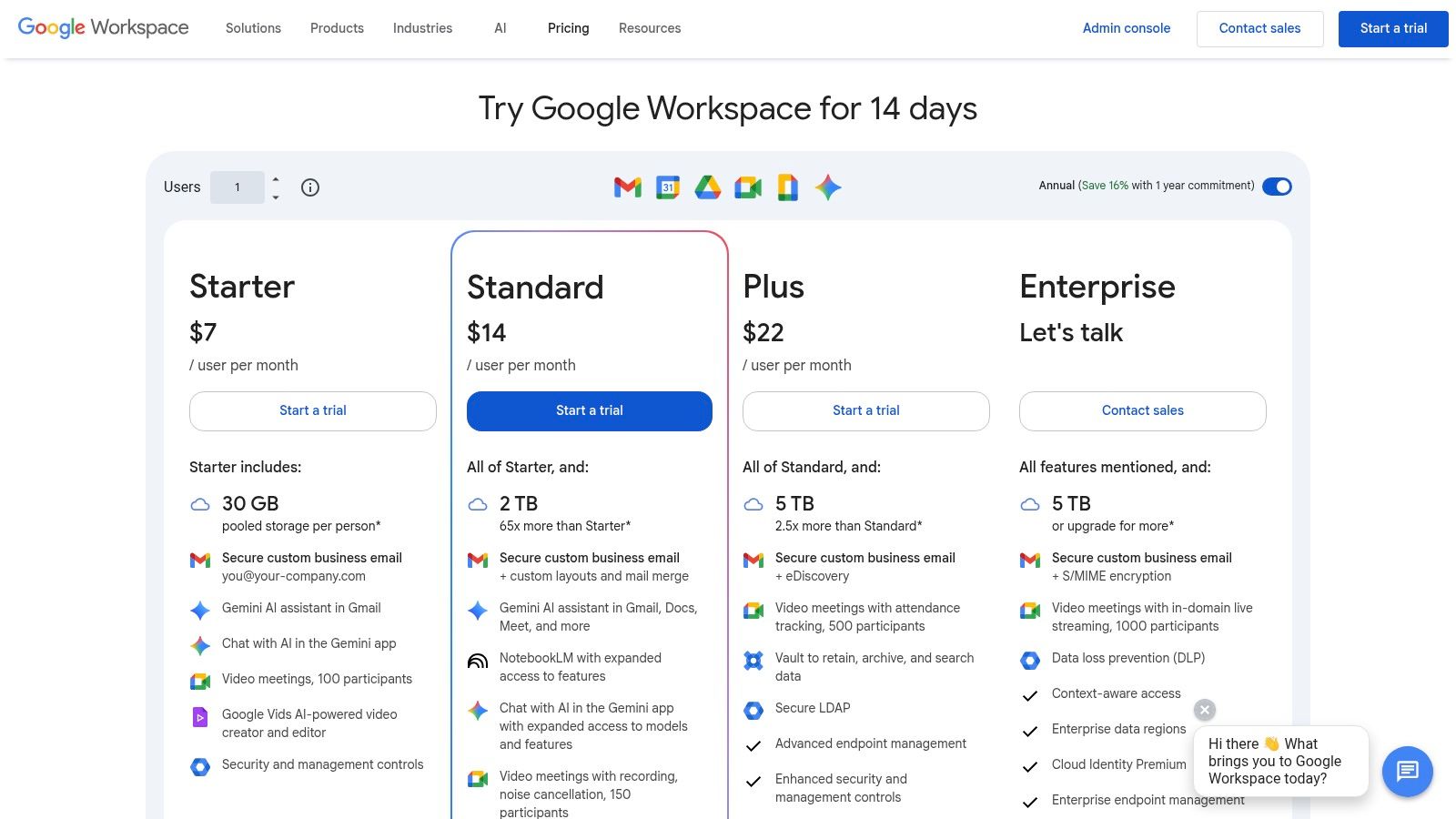
The real magic for authors is its collaboration features. You can share a document and watch your editor make changes in real-time, or receive comments from beta readers right next to the relevant text. This fluid, back-and-forth process is priceless for refining your story without the headache of managing multiple versions of a file. It’s one of the best tools for writing a book when your process involves a team, which it absolutely should. Hire a ghostwriter! It’s fun!
Is Google Workspace a Good Fit for You?
Google Docs is the undisputed champion of collaborative writing and accessibility. If you’re working with a ghostwriter, co-author, or editor, its "Suggesting" mode is a dream, allowing others to propose edits that you can accept or reject with a single click. The version history is also a lifesaver, letting you turn back time to a previous draft if you decide you liked an earlier version better. The main drawback is that very long manuscripts, think 100,000+ words, can start to feel a bit sluggish.
- Who it's for: Anyone collaborating with a ghostwriter or editor, authors who work across multiple devices, and people who want a simple, no-fuss drafting tool.
- Who should skip it: Writers working on massive, epic-length books who might be frustrated by potential performance lag. Also, those who need offline-first tools.
- Pricing: Free for personal use with a Google account. Paid Google Workspace plans start at $6/user/month for more storage and business features.
- Website: https://workspace.google.com/pricing
11. Microsoft Word (Microsoft 365)
Microsoft Word is the old reliable of the writing world, the comfortable sedan of word processors. It’s the tool almost everyone has used, and more importantly, it’s what nearly every editor, agent, and publisher on the planet expects to receive. Its .docx format is the universal language of the publishing industry, making it one of the most essential tools for writing a book simply because it creates the fewest headaches during collaboration.
While other tools offer fancy corkboards and project management features, Word focuses on one thing: the page. The real magic for authors happens during the editing phase. Its “Track Changes” feature is the industry gold standard, allowing you and your ghostwriter or editor to pass drafts back and forth, see every suggestion clearly, and accept or reject changes with a click. It’s the digital equivalent of a red pen, but much, much cleaner.
Is Microsoft Word a Good Fit for You?
If you plan on working with any professional in the publishing world, you will almost certainly end up in a Word document at some point. Its familiarity is its greatest strength. You don't need to learn a new system when you’re just trying to get your ideas down. The integration with OneDrive means your manuscript is safely stored in the cloud, and newer Microsoft 365 versions include Copilot AI to help bust through writer's block.
- Who it's for: Anyone working with a traditional editor or ghostwriter, authors who value universal compatibility, and those who want a powerful, familiar tool without a steep learning curve.
- Who should skip it: Writers who need robust, built-in organizational tools for complex research and non-linear narratives might find it too simplistic compared to Scrivener.
- Pricing: Available with a Microsoft 365 subscription, which starts at $6.99/month for personal use. A limited, free web version is also available.
- Website: https://www.microsoft.com/microsoft-365
12. Amazon Kindle Create (KDP)
When you’re finally ready to turn your manuscript into an actual book for Amazon’s massive marketplace, Kindle Create is the official, no-cost tool to get it done. It’s designed to bridge the gap between your finished Word document and a professionally formatted ebook or paperback. Think of it as Amazon’s helping hand, guiding your manuscript across the finish line and ensuring it looks great on a Kindle screen.
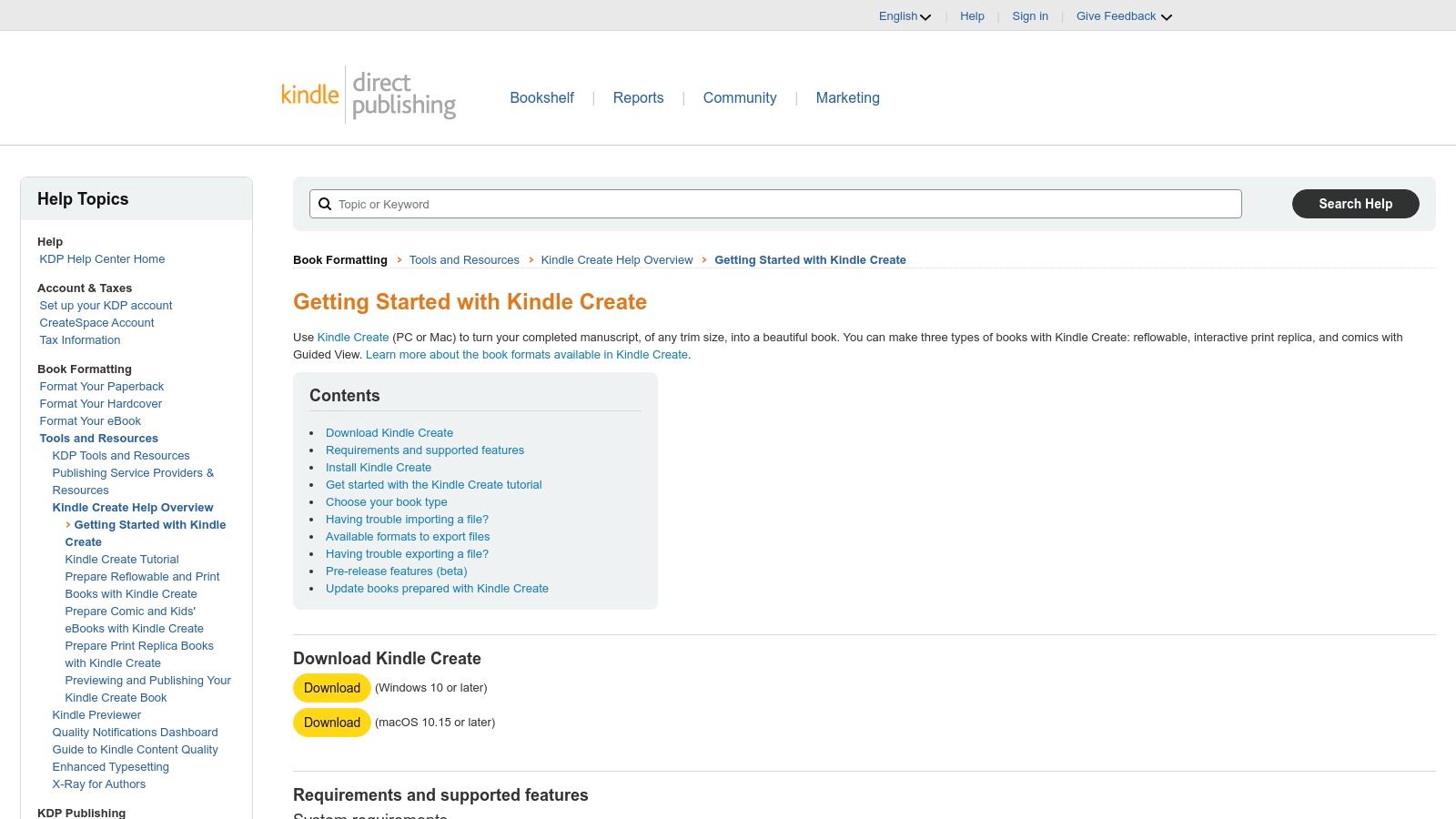
This tool is all about simplicity and direct integration with Kindle Direct Publishing (KDP). You import your file, apply one of their clean themes, and it automatically builds a clickable table of contents. It’s one of the best tools for writing a book if your primary goal is to publish on Amazon without getting tangled in complex formatting software or spending extra money.
Is Amazon Kindle Create a Good Fit for You?
Kindle Create is the perfect choice for authors who want a straightforward, free path to publishing on Amazon. If your book is mostly text, like a memoir or a novel, it handles the job beautifully. It removes the technical headache of file conversion and formatting, letting you preview exactly how your book will appear on phones, tablets, and Kindle e-readers before you hit publish.
However, its simplicity is also its biggest limitation. If you’re creating a highly visual business book with complex tables, custom fonts, or images that need to bleed to the edge of the page, this tool will feel restrictive. It’s built for function over high-end design flexibility.
- Who it's for: Authors on a budget, those publishing text-heavy books like memoirs and novels, or anyone who wants a simple, direct-to-KDP workflow.
- Who should skip it: Anyone needing advanced design control, custom layouts, or creating image-heavy books like cookbooks or photography collections.
- Pricing: Completely free to download and use.
- Website: https://kdp.amazon.com/help/topic/GUGQ4WDZ92F733GC
Top 12 Book-Writing Tools Comparison
| Tool | Core features | UX & quality (★) | Value & price (💰) | Target audience (👥) | Unique selling points (✨) |
|---|---|---|---|---|---|
| Scrivener (Literature & Latte) | Binder, corkboard, outliner, research + powerful Compile | ★★★★☆ — powerful, steeper learning | 💰 One‑time desktop license; 30‑day use trial | 👥 Long‑form authors needing structure | ✨ Deep project org & flexible Compile engine |
| Atticus | Write + format in one tool; EPUB & print PDF exports | ★★★★☆ — simple output, occasional stability | 💰 One‑time lifetime price for unlimited books | 👥 Indie authors who want easy, all‑in‑one formatting | ✨ Vellum‑style interior themes + integrated workflow |
| Ulysses | Markdown writing, iCloud sync, goal tracking, export options | ★★★★☆ — polished, minimal Apple UX | 💰 Subscription (or via Setapp) | 👥 Apple users who prefer distraction‑free drafting | ✨ Seamless Apple integration & goal tracking |
| Vellum | Automatic templates for ebook & print; instant previews | ★★★★★ — top‑tier formatting output | 💰 Paid Mac app; separate from drafting tools | 👥 Indie authors seeking elegant, professional interiors | ✨ Fast, beautiful typography and multi‑trim previews |
| ProWritingAid | 25+ reports (style, pacing, repetition); integrations | ★★★★☆ — deep author‑focused analysis | 💰 Subscription; occasional lifetime deals | 👥 Authors wanting in‑depth style & pacing feedback | ✨ Extensive reports + Scrivener/Word integrations |
| Grammarly | Real‑time grammar, tone, rewrites, plagiarism check | ★★★★☆ — broad, reliable grammar & clarity help | 💰 Freemium; advanced features require subscription | 👥 General writers, teams, editors needing real‑time help | ✨ Ubiquitous integrations across browsers & apps |
| Plottr | Drag‑and‑drop timeline, plotting templates, character sheets | ★★★★☆ — intuitive visual plotting | 💰 One‑time + optional Pro (web/collab) tiers | 👥 Plot‑driven authors & series planners | ✨ 40+ plotting templates & visual timelines |
| Campfire Writing | Modular worldbuilding (characters, maps, timelines) | ★★★★☆ — deep but modular (learning curve) | 💰 Modular subscription—pay for needed modules | 👥 SFF authors needing rich worldbuilding tools | ✨ Pick‑and‑pay modules for tailored toolsets |
| Reedsy | Marketplace for vetted editors/designers + free courses | ★★★★☆ — professional, curated marketplace | 💰 Marketplace fees/commissions; project pricing varies | 👥 Authors hiring vetted editorial/design help | ✨ Contracting, payments & free learning resources |
| Google Workspace (Docs & Drive) | Real‑time coauthoring, autosave, version history, Gemini AI | ★★★★☆ — ubiquitous collaboration & reliability | 💰 Freemium; Workspace plans add features | 👥 Authors collaborating with editors/beta readers | ✨ Universal access, strong autosave & versioning |
| Microsoft Word (Microsoft 365) | Track Changes, comments, .docx standard, Copilot AI | ★★★★☆ — industry standard for editorial workflows | 💰 Microsoft 365 subscription (or legacy one‑time licenses) | 👥 Publishing pros and editors expecting .docx | ✨ Track Changes + universal editor compatibility |
| Amazon Kindle Create (KDP) | Import Word/Docs, themes, TOC, Kindle & print previews | ★★★☆☆ — good for KDP‑centric formatting | 💰 Free to use; integrates with KDP | 👥 Self‑publishers preparing KDP ebooks/paperbacks | ✨ Direct KDP integration and Kindle device previews |
The Best Tool Is the One That Gets Your Book Written
Whew. We have covered a lot of ground, haven't we? From the sprawling digital corkboards of Scrivener to the clean, simple elegance of Google Docs, the landscape of tools for writing a book is vast. It can feel like standing at the hardware store, needing a single nail but staring at an entire aisle of hammers, mallets, and pneumatic whatnots. The sheer number of choices can be paralyzing.
So let’s take a deep breath and state the most important truth of this entire article: There is no single "perfect" tool. The magic bullet does not exist. The best tool for you is the one that actually helps you move forward. It is the one that feels less like a technical chore and more like a helpful partner in your creative journey.
From Overwhelmed to On Your Way
Think back to the common author types we discussed. The founder writing a business book might thrive with a combination of Google Docs for collaborative feedback and ProWritingAid for ensuring a professional tone. The family historian creating a legacy project might find the interview transcription tools we mentioned invaluable, followed by the simple formatting power of Atticus.
Your first step is not to master every tool on this list. Your first step is to honestly assess your own strengths, weaknesses, and habits.
- Are you a visual thinker? Tools like Plottr or Campfire Writing, which let you map out connections and timelines, might be your best friend.
- Do you get bogged down in details? A minimalist tool like Ulysses could keep you focused purely on the words, saving formatting for later.
- Do you think best out loud? For many authors who find speaking their ideas more natural, exploring the options for the best dictation software for writers can be a game-changer for productivity. You can capture your thoughts during a commute or a walk and have them ready for editing later.
Pick one or two tools that seem to solve your biggest immediate problem. Your only job is to start, try something out, and be kind to yourself along the way. If a tool feels clunky or confusing after a fair try, give yourself permission to ditch it and try something else. This is not a test. It is a creative process.
The Ultimate Tool: A Helping Hand
Now, let's talk about the most powerful, and often overlooked, "tool" we have mentioned: another person. If you looked at this long list of software, browser tabs, and subscriptions and felt a wave of exhaustion, that is a perfectly valid signal. Your energy is a finite and precious resource.
Your true value lies in your vision, your memories, your expertise, and your unique story. Wasting that energy fighting with formatting settings or learning complex new software might not be the best use of your time. This is especially true when your goal is to create a beautiful, lasting physical book.
Hiring a professional ghostwriter to handle the heavy lifting is not cheating. It is not "less" of your book. It is the smartest delegation you can make. A great ghostwriter acts as a project manager, an interviewer, a structural architect, and a wordsmith, all rolled into one. They bring your vision to life while you get to enjoy the creative process without the burnout. They ensure your book gets done, beautifully and professionally.
Your story deserves to be told. Whether you use a simple notepad or a full suite of the best tools for writing a book, the goal is the same. Get those words out of your head and into the world. You now have the resources, and the permission, to make it happen.
Feeling inspired but still not sure where to start? At My Book Written, we specialize in helping people just like you turn a powerful idea into a professionally published book. We can help structure your thoughts and guide you through the process, whether you write it yourself or partner with one of our expert ghostwriters. Your journey to a finished book starts here.
Writing something bigger than an assignment?
If this is research for a book you actually want to exist, the match quiz will tell you what it would cost and who could help.
Read next
What will your book cost?
Set the type, length and timeline. Get a real 2026 range in 30 seconds.
Open the calculator